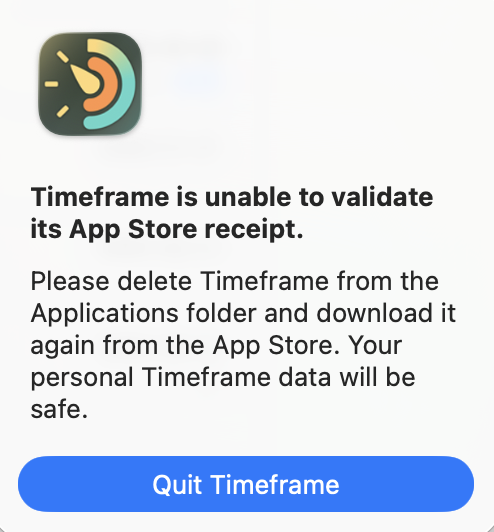
Just a heads up: on latest macOS Beta from today (26.4 Beta 1), your app constantly ask to quit. I have tried to delete the app and reinstall as stated, but it is not working.
As usual, I know i’m on a beta and I don’t expect this to be top priority, just a heads up if you have a solution and/or a fix possible.
Thank you so much for the heads up!
I tried to reproduce it using a virtual machine running macOS 26.4 beta, but Apple doesn’t really allow App Store accounts on virtual machines.
I will install a proper macOS 26.4 beta soon and fix the issue before the final release.
Hello Niko, thanks for the reply. It is still happening as of today (beta 3). Can you share a temporary fix for this, maybe checking for the valid subscription less frequently or anything else that can at least prevent the app from quitting randomly?
I just installed macOS 26.4 beta 3 (25E5223i) on an external drive.
Then installed Timeframe from the App Store.
At first I had problems with the App Store receipt too, but I was able to launch Timeframe in “free” mode.
After I clicked “Restore Purchases” in Timeframe’s store and relaunched the app, everything was back to normal.
Can you try to “Restore Purchases” and see if it works?
Hello Niko, I did not detail all the troubleshooting steps I took before opening the ticket, I apologize for that!
I actually did the restore purchases on all three beta, I’ve also uninstalled and reinstalled the app and I did a full logout of the icloud account and log back in (after a full os reboot). It never worked. Sometimes it takes more time before giving the warning and/or force close itself, in which case I just see the menu bar item gone… Before replying here I went ahead and tried again just in case something is now fixed and I will report back if it changed and never close again.
As this is still happening in the release candidate, I hope this will not affect too many of your users when launching in the coming days. Have you made progress on this? Can I provide you with anything to help you fix this?
I uploaded an update that should fix the App Store receipt validation bug last Monday. But for some reason Apple hasn’t reviewed it yet. Usually it takes a day for Apple to approve app updates… I will write them to ask what is going on.
Hello Niko, I just got the update from App Store and I’m also now on the release version of macOS. it now says it needs to update its App Store receipt, ask to relaunch app and after a short while (somewhere between 15 and 45 minutes, it closes back. Then after starting the app again, it asks to update the app store receipt again. Unfortunately this does not seem to be working. I don’t want to rule out a possible issue on my end, but wouldn’t know where to look for as this is the only app showing this issue.
I’ve seen reports regarding iOS where devs have issues with the validation of the receipt, and delaying the check at some point for 1 second helps… but don’t take my word for it…