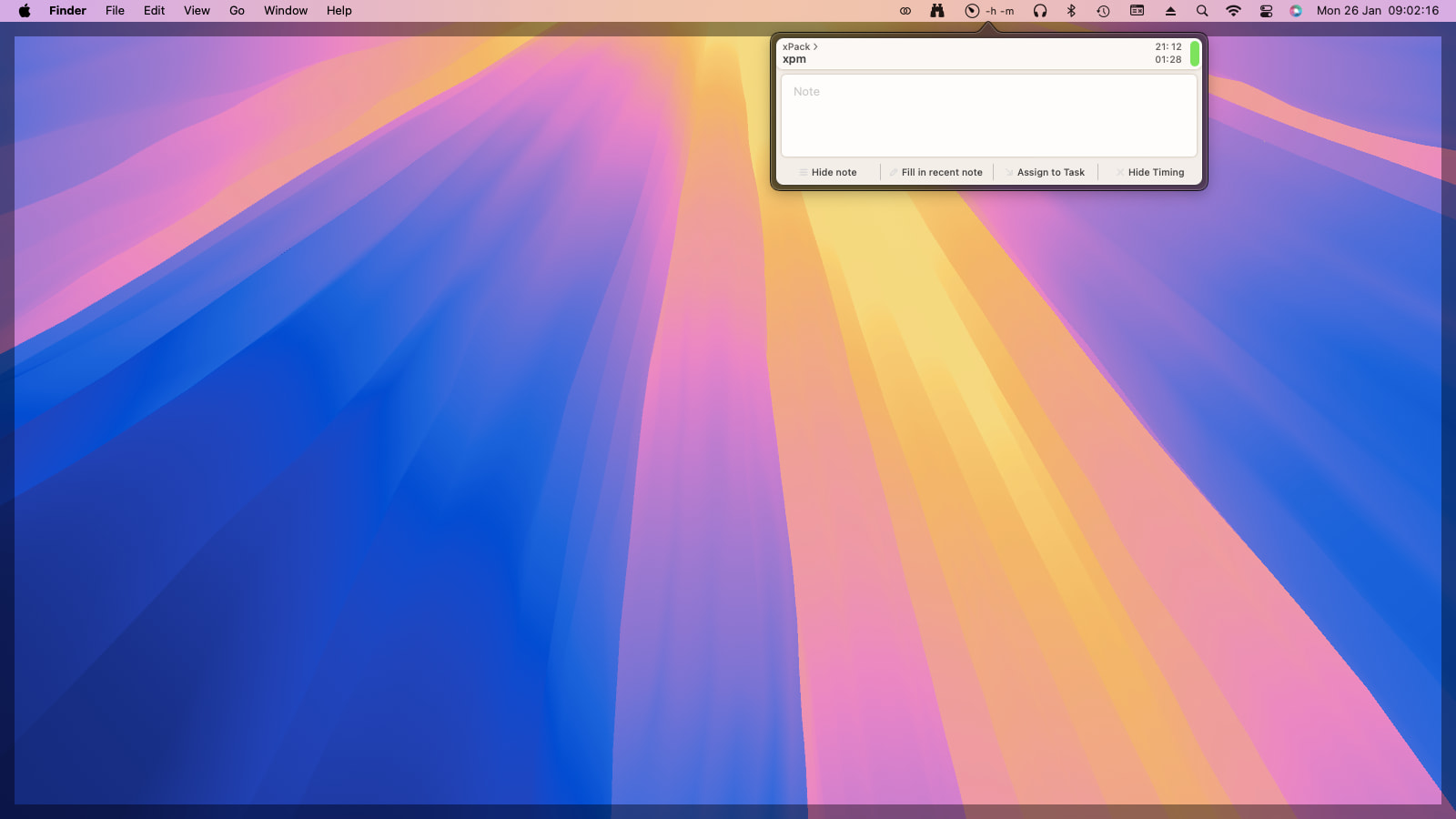
I’m successfully using Timelime for many years, but the latest version (3.5) has an annoying behaviour on macOS 15.7.3 (x64), if I leave it running and the system goes to sleep, it hangs with the small window active and the only way to close it is to shut down the program.
Attached is a screen capture. If you need further details, please let me know.
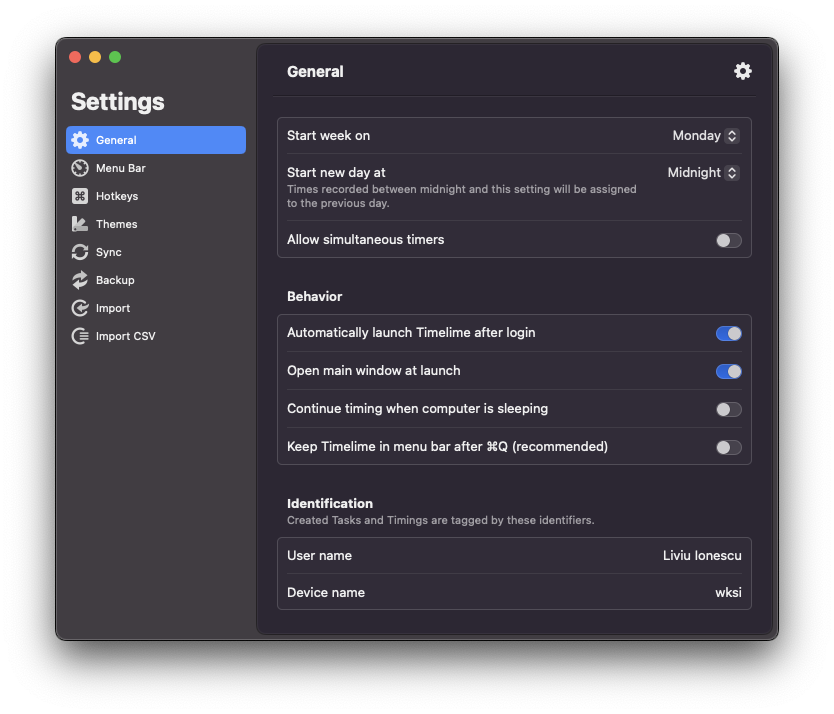
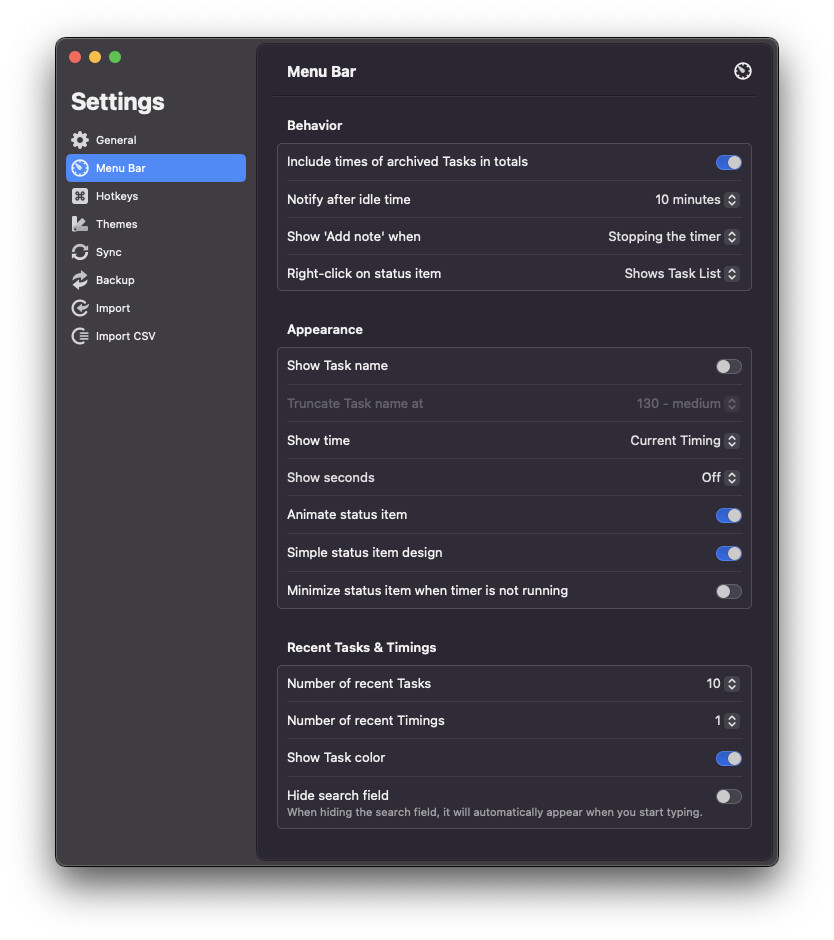
I’m trying to reproduce this issue… What are your settings for:
Timelime Settings > General > Continue timing when computer is sleeping
Timelime Settings > Menu Bar > Show ‘Add note’ when
No, I start using Timelime as usual, but forget to stop it, and leave, usually late in the night. After a while, the Mac goes by itself to sleep. When I return, usually next morning, when I wake up the system, I find that empty Timelime window with the dark margin. The timing seems recorded correctly, obviously without a description.
It might also have to do with the switch between light/dark theme, configured on my sistem to automatically switch at sunset/sunrise, so I leave the system alone with a dark theme, and when I wakeup it starts as light.
I guess I was doing this before, but only recently (a few months?) I noticed this issue, so I would say it is probably an interaction between the latest Timelime and latest Sequoia 15.7.3 running on an Intel Mac.
I was thinking more thoroughly, and I think that the issue might be related to theme switching.
I am forgetting to stop the Timelime timer quite often, with the system going to sleep, but I don’t remember having problems during day time. However I remember many mornings when I had to shutdown Timelime, and the dark margin might be an artefact after switching from dark to light theme.
So my scenario is:
I leave the computer with the timer on;
after a short timeout, the screen goes off;
after its own timeout, Timelime pops the window to enter the description, but the screen is off, and there is nobody there;
the computer goes to sleep, with the popup window open;
in the morning the sunrise event occurs and the theme switches to light, or the switch remains pending;
I come to the computer and wake it up;
the Timelime window is still there, but with the black margin, and the program is non-responsive
I forgot: Can you please check if there are crash reports for Timelime?
You can find them in the Apple Console app > “Crash Reports”, and there look for “Process Name” Timelime.