When I click on the clock in the menubar to start a new timer, the timer starts and the notes window opens but is only half sized cutting off the options for fill in recent note, which I use a lot, and assign to task. The note window opens to full size only after I start typing something. I believe I’m on the latest version of everything. MacOS 26.5, Timeframe 4.7.2.
Thanks for reporting this issue!
I’m unable to reproduce this, can you please attach a screenshot of the cut off window.
Could it have something to do with multiple desktops? In trying to take a screenshot I noticed that it did it on some desktops, but not others.
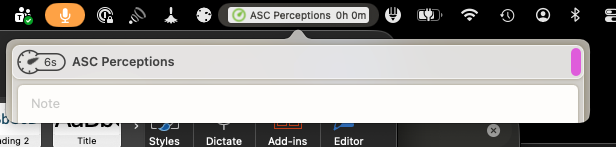
Thank you for the additional info! I fixed this bug in code now. Will release an update soon…
Just wanted to let you know that Timeframe 4.8 is now available on the App Store, which fixes this issue.