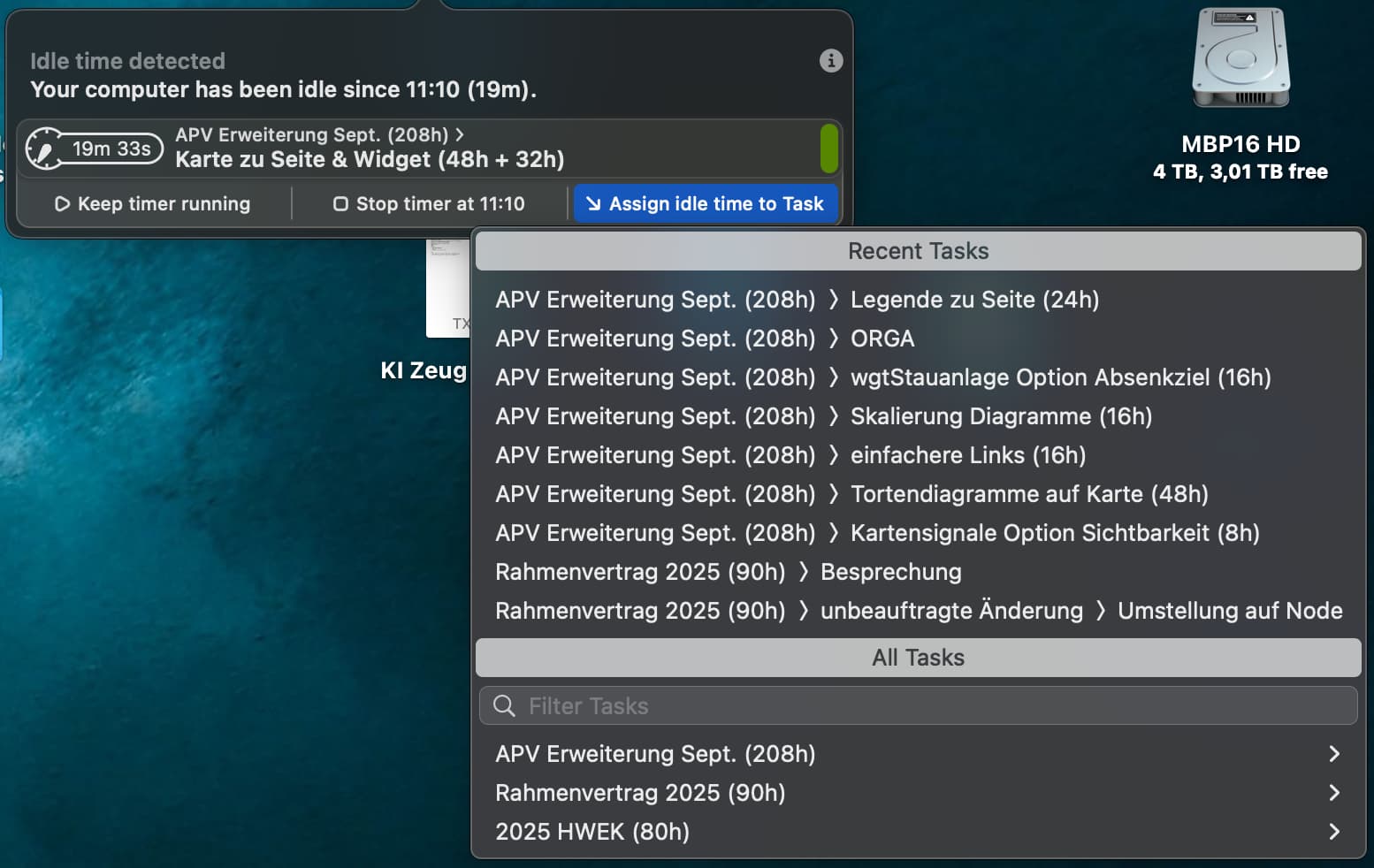
In previous versions it was very easy to choose the task for the idle time (because there was only one, the currently runnning task). All done with one click, perfect.
Now I have to choose “Assign idle time to Task“ from all recent tasks and I simply don’t see the current task in the list (screenshot). Filter works but is very annoying to use. Is this a bug or do I miss something?
Hi, thank you for using Timelime! I’m glad you like it:)
If you want to assign the idle time to the current task, you can just choose “Keep timer running”.
But you are right. In an older version, the currently running Task(s) were part of the “Recent Tasks” list in the Idle Time handling.
If you want, I can gladly add the current Task to the list again.
I tried “Keep timer running” and unfortunately it does what it says - it keeps the timer running including the idle time. I need the old function that when I - for example go to lunch - the idle time is not counted and continues after coming back.
So for me it would be the easiest to have a button “Assign idle time to current task” to have only one click. But it would also be ok to have the current task on top of the “Recent Tasks” list (two clicks then). :o)